
AI is fundamentally changing the game, but at Codemill, it's not just about flashy new tech—it's about smart solutions. We see a clear distinction between automation and augmentation, and we believe that the most powerful applications are a perfect mix of both. But what exactly are the differences between them?
Automation vs. Augmentation
Automation is about using AI to take over tasks entirely. Think of it as a super-efficient robot following a detailed checklist. It’s perfect for repetitive, high-volume tasks where consistency is key. For instance:
- If a new file version is ingested → Give the file a new version number
- If a file is missing metadata → Reject it automatically
Automation reduces errors, saves time, and lets your team focus on more strategic work. It’s the behind-the-scenes hero that keeps things running smoothly.
Augmentation is a bit different. Instead of replacing a human, it empowers them. It’s like giving your team a brilliant assistant that helps with research, flags potential issues, or provides creative ideas. AI enhances human creativity and decision-making, leading to better outcomes. It's a partnership between human and machine, where the AI's strengths (speed, data processing) complement the human's strengths (critical thinking, emotional intelligence).
The greatest value is created when you strike the right balance between the two. By automating the mundane and augmenting the creative, we can build a future where technology makes us more efficient and empowered.
Of course, before you can choose between automation and augmentation, you have to understand what you’re trying to solve with the AI, as we showed in our previous article, and then select the right technology for the job. Just like you wouldn't use a microphone to capture an image, understanding the different types of AI is crucial to ensuring you're using the right technology to achieve your goals.
Three Types of AI
Think of AI as a family with different personalities and skill sets. Each one brings something unique to the table, and they often work together to solve complex problems!
🤖 Rule-based AI: The Stickler for Rules
This is the oldest member of the AI family and it is the ultimate rule-follower. It operates on a set of pre-defined "if-then" rules created by a human. Think of a simple spam filter:
"IF an email contains the phrase 'free money,' THEN send it to the junk folder."
It's great for predictable, repetitive tasks, but it can't learn or think outside the box. It's the dependable, no-nonsense one who always follows the recipe to the letter.
🧠 Traditional AI: The Expert Analyst
This type of AI is more sophisticated and often uses machine learning to find patterns in large amounts of labeled data. It can make predictions or classify information based on what it has learned. It's the AI that recommends your next favorite movie on a streaming service based on your viewing history. This AI is all about analysis and classification—it can tell you what something is but can't create anything new. It's the smart, observant one who can predict what you'll want before you even know it.
✨ Generative AI: The Creative Genius
This is the rising star that everyone's talking about! Generative AI uses vast, unsupervised datasets to learn patterns and then create entirely new content, from text and images to music and code. It doesn't just follow rules or classify data; it invents. When you type a prompt and a large language model writes a story for you, that's Generative AI in action. It's the wild, creative one who can paint a masterpiece or write a poem from a single prompt.
With this understanding of the different types of AI and how to choose the right one for your specific problem, the next step is to determine the ideal level of automation and augmentation for your application.
Balancing Augmentation
Automation might be easy to understand, but what about balancing the augmentation? It's easy to see the benefits of augmentation, but getting the balance just right can be tricky. Codemill’s product, Accurate.Video Validate, lets users mark up video content with descriptive or QC related metadata. Marking up the video can be 100% automated or 100% manual work.
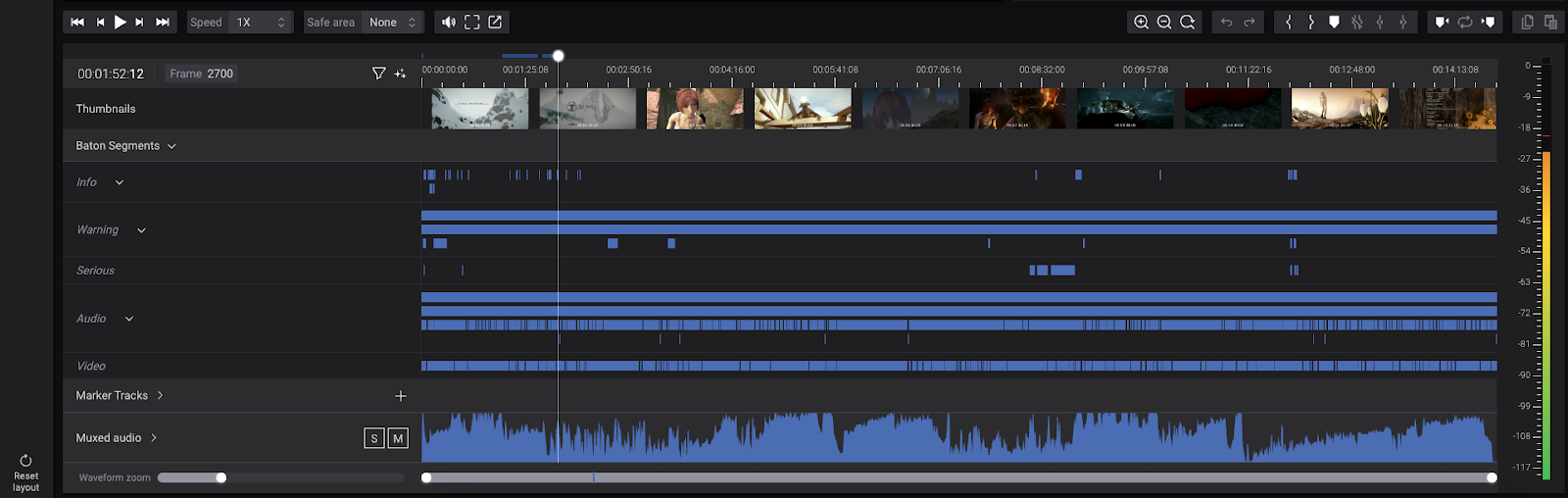
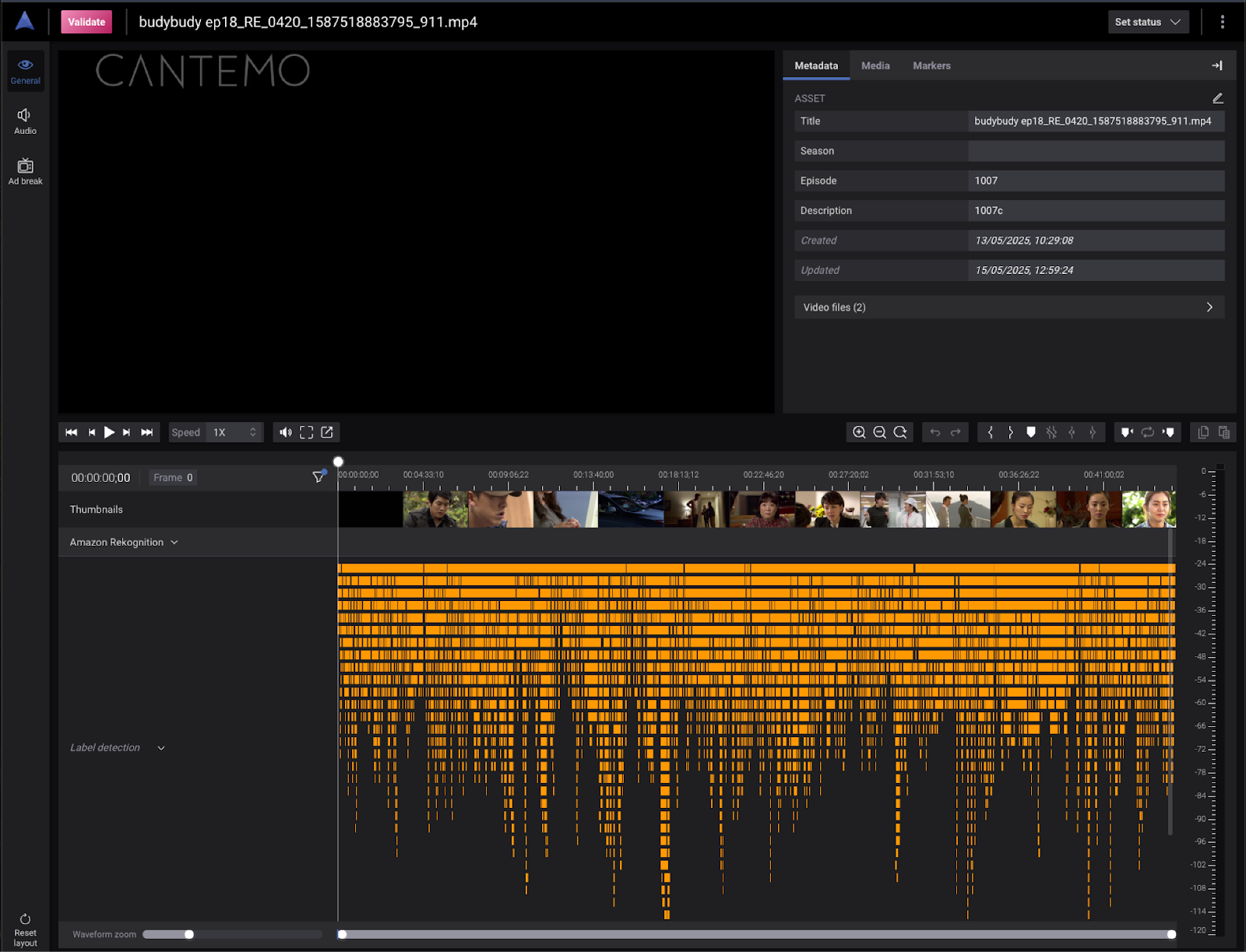
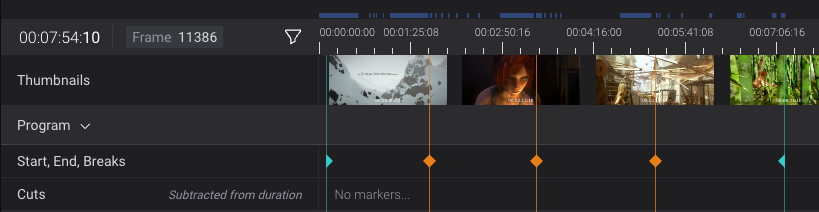
100% automation: Timelines in Validate containing autogenerated markers
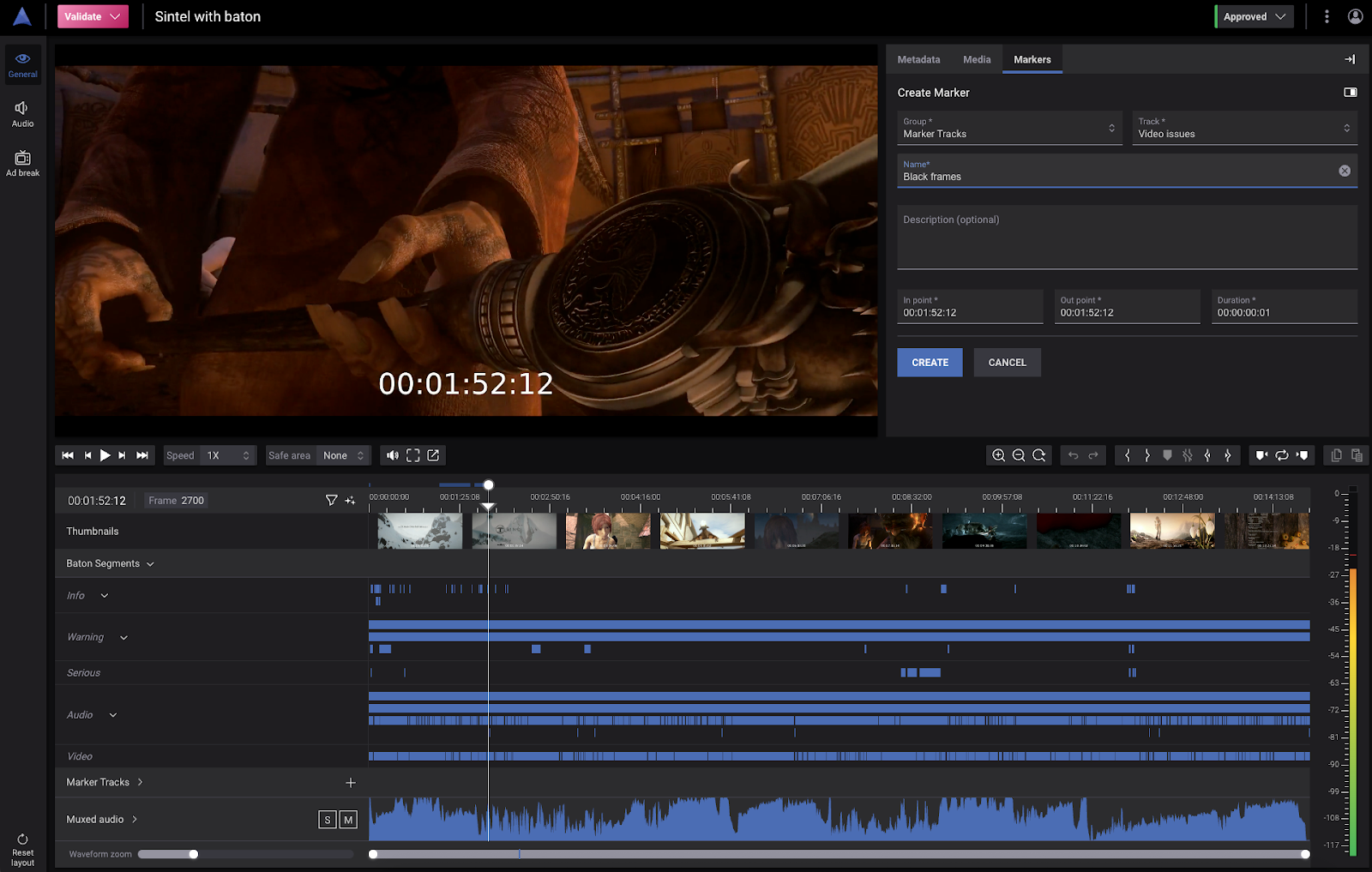
100% manual work: The create marker form in A.V Validate
Finding the ideal balance between automation and augmentation isn't just theoretical—it's something we actively explore in our products. Let's look at a few examples from Accurate.Video Validate, on how some tasks could be balanced.
Example 1 - Ad-breaks
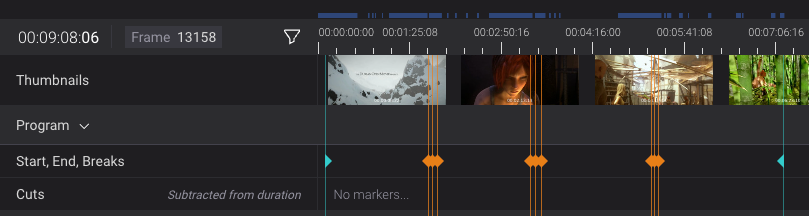
The task is to mark up where the ad-breaks should be placed in a show for linear tv. Of course this could be 100% automated, but could be augmented by:
1. AI creates the ad-breaks, and a person verifies/edits.
2. AI creates the ad-breaks, and a person approves/rejects them. Rejected ad-breaks are replaced with manually created ones.
3. AI creates multiple suggestions for ad-breaks with different placements, a person selects which ones to keep.
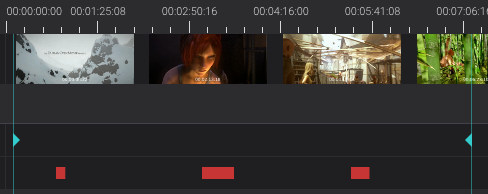
4. AI marks up longer durations in the video where an ad-break could be placed, but a person creates all ad-breaks manually
Example 2 - Intro/Outro mark-up
The task is to mark up parts of the video, e.g. intro & outro, to be able to add “skip” and “next” buttons in the UI of a streaming service. This could be 100% automated by an AI, but could also be augmented by:
1. AI creates the markers, and a person verifies/edits.
2. AI creates the markers, and a person approves/rejects them. Rejected markers are replaced with manually created markers.

3. AI gives suggestions in the video where the buttons could be placed, but a person creates all markers manually.
Example 3 - Compliance
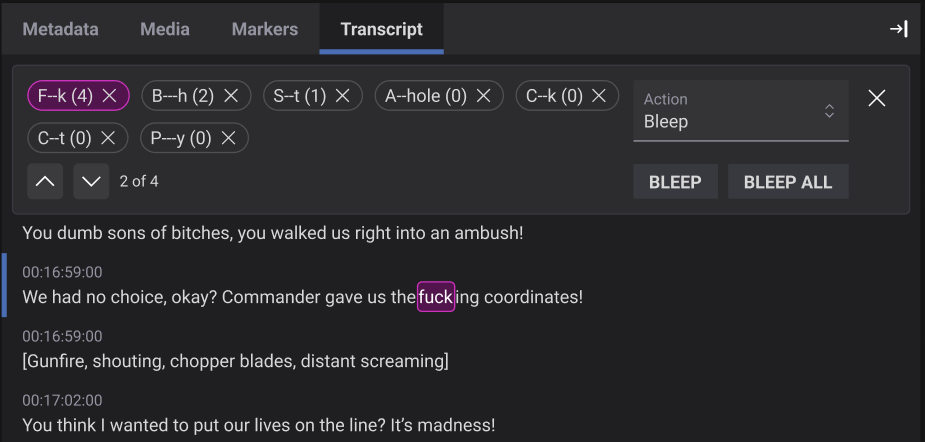
The task is to mark up compliance issues on curse words in a video that needs to be addressed. This could be 100% automated by an AI, but could also be augmented by:
1. AI adds the markers for the issues, and a person verifies/edits.
2. AI provides a transcript where the curse words are highlighted, a person can select/deselect words that should be included and create markers from them.
Finding the sweet spot between a tool that is truly helpful and one that becomes a crutch is a key challenge. If a system is too automated, we risk introducing costly errors and alienate users by not utilising their expertise properly. On the other hand, if a system offers too little augmentation, we risk burdening users with repetitive, tedious tasks, leading to inefficiency, slower decision-making, and ultimately, user fatigue.
This is where the human-in-the-loop is so critical. The goal isn't just to build a solution, but to continuously evaluate and iterate, ensuring the AI is a true partner that adapts to user needs and grows with your team. A successful augmented system empowers its users, giving them the confidence to take on bigger challenges and achieve more than they could on their own.
By carefully considering when to automate, when to augment, we can design applications that not only boost efficiency but also unleash new levels of human potential!
In the next article, my colleague Joel will outline some best practices to consider when designing the UI for AI based features in the Media Supply Chain. Stay tuned!
Written by Katarina Hägglund
Sources: https://pair.withgoogle.com/guidebook/ , https://www.codemill.se/accuratevideo#Validate