

This process can be messy and involves a lot of sketching, prototyping, demos, feedback, headache, and iterations, and it’s a craft we've refined for many years at Codemill. While we can’t cover every angle in this article, we can at least give you some key considerations and pointers for designing intuitive and engaging AI-based features for the M&E industry.
Practical design tips and considerations
Set expectations early and accurately
Make it clear to users what the AI can and cannot do to avoid confusion and frustration. This type of expectation management should begin as early as your product messaging, even before the product has launched. Failing to set clear expectations can lead to distrust, which is difficult to regain.
🛑 Don’t overpromise and under-explain
Buzz words like “revolutionary”, “next-Gen”, and “cutting edge AI technology” doesn’t say anything about what the AI will actually do.
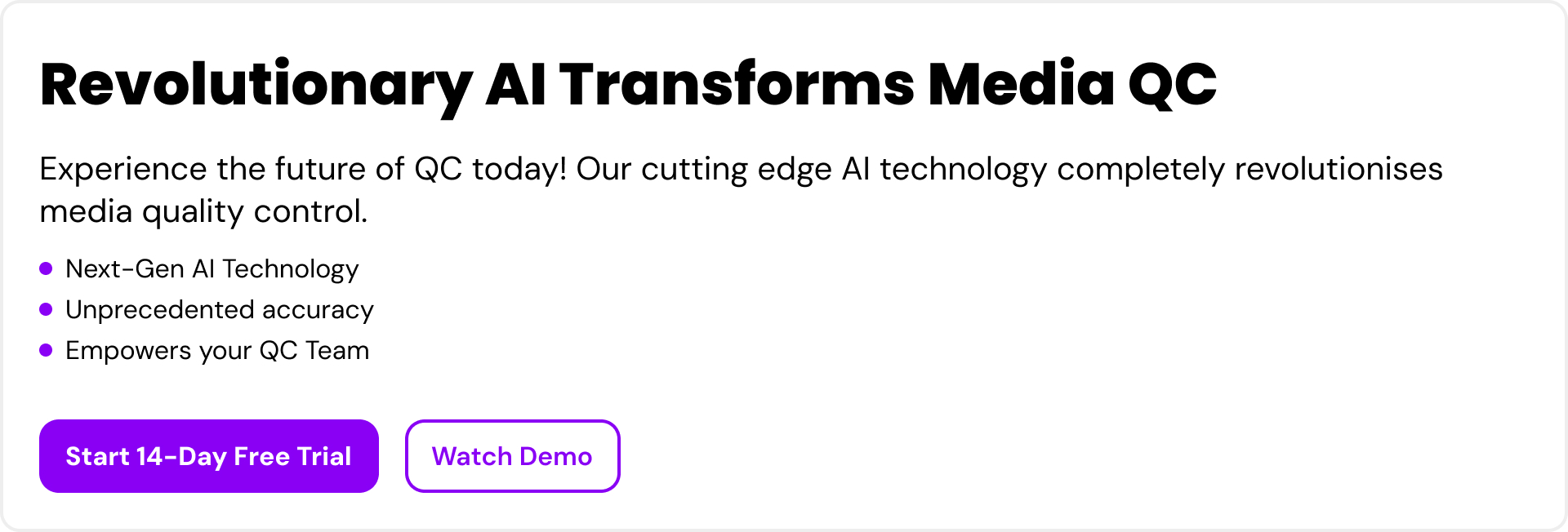
🟢 Do explain the value for users
“Auto generates markers” and “suggests QC outcomes” is more specific and explains the value that the tool brings.
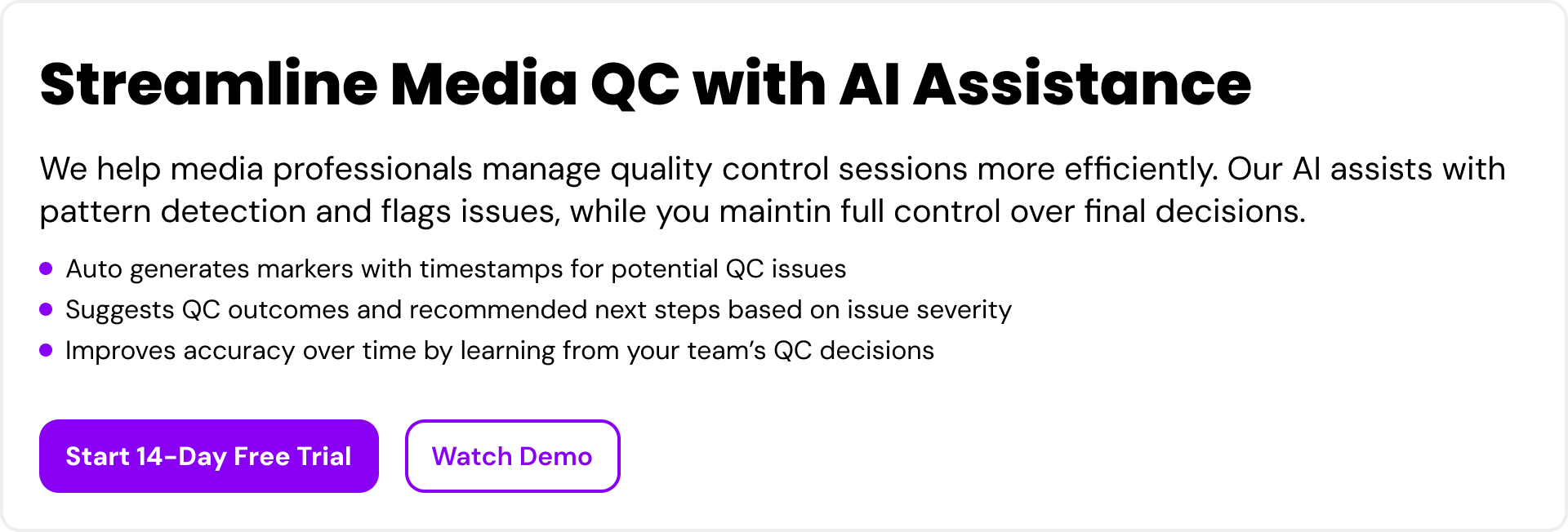
Design for transparency
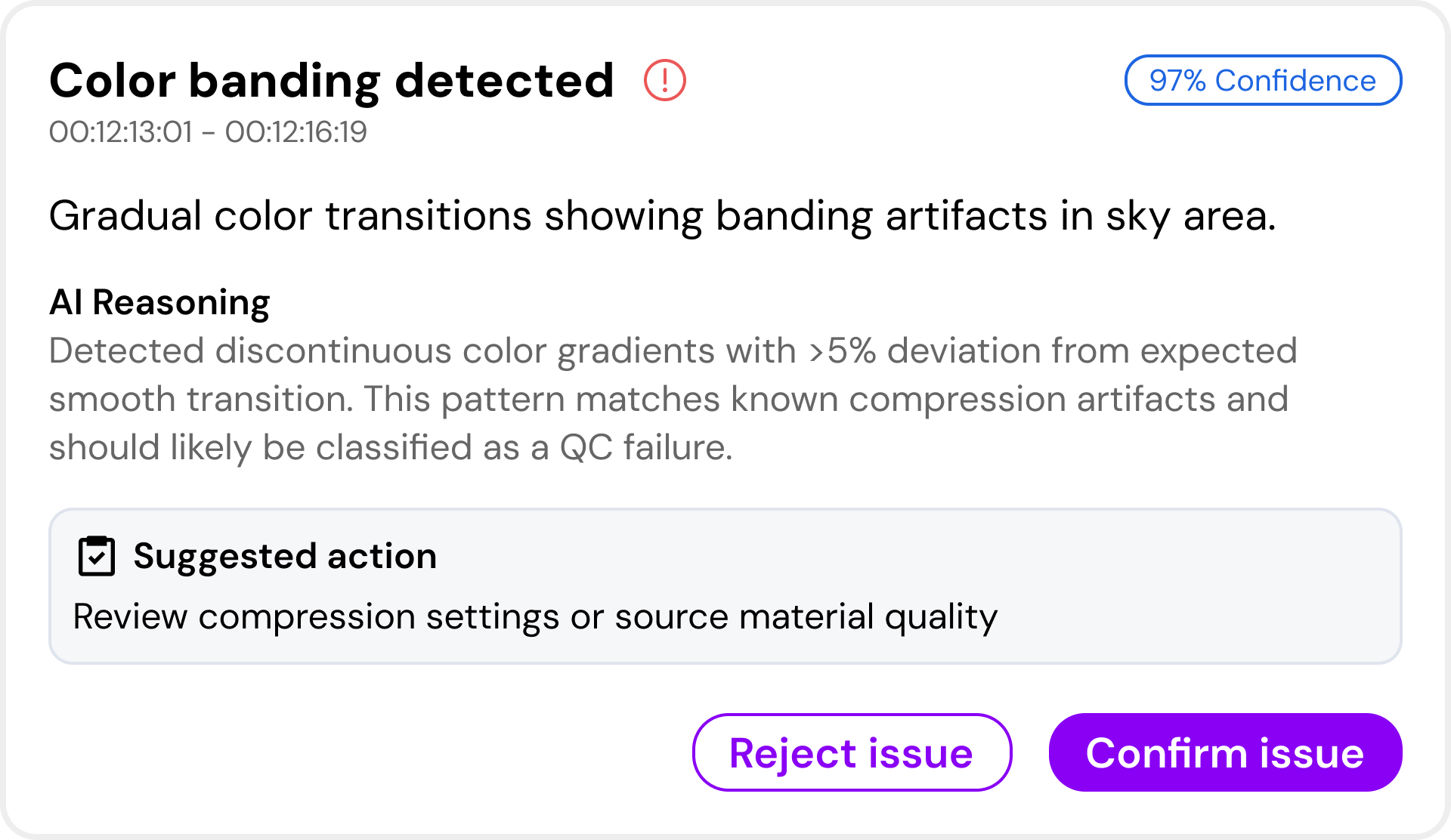
Be transparent about underlying processes and data sources without overcomplicating things. Let users understand why the AI provided a certain response and show a confidence score when it’s important for users to know how much they can trust the AI generated output. This empowers users to evaluate the AI response and calibrate their follow-up actions.
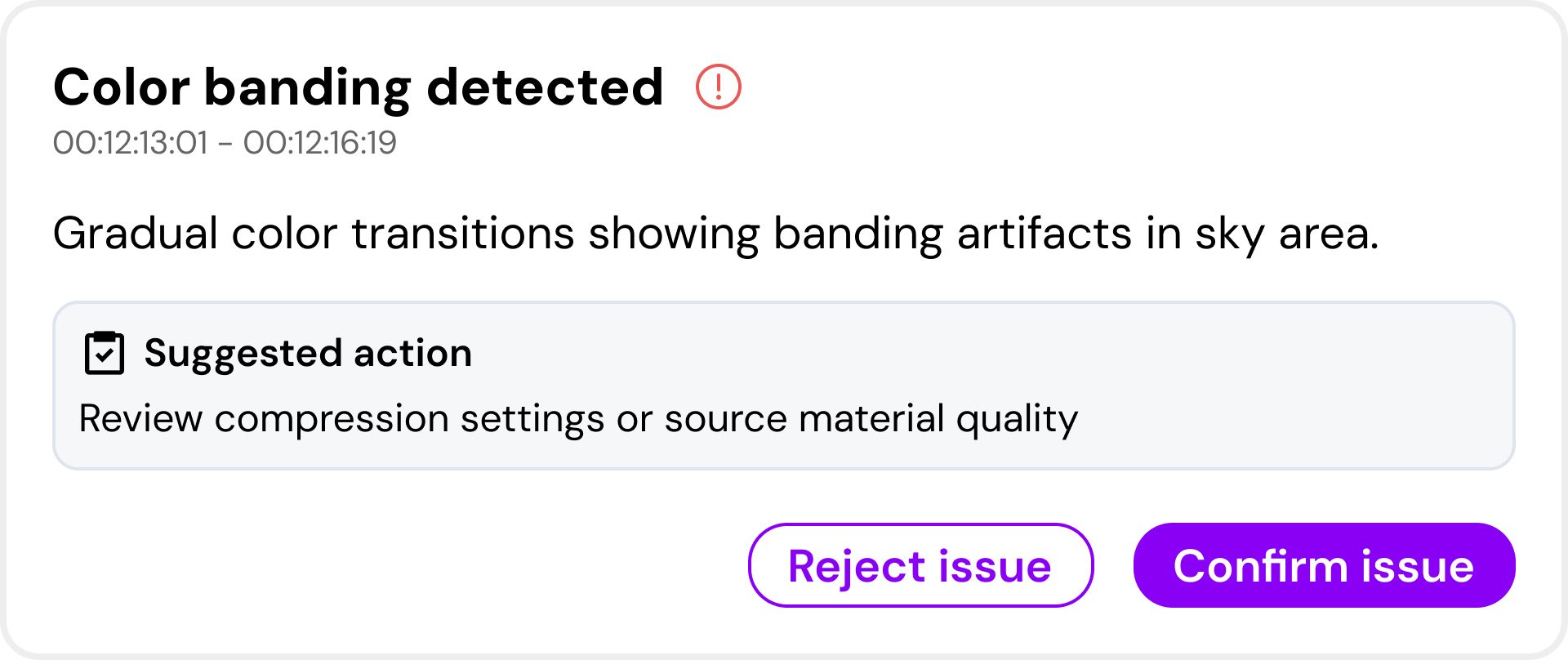
🛑 Don’t show plain output without reasoning or confidence level
It’s difficult for users to evaluate an AI response when there’s no reasoning or confidence provided in the response.
🟢 Do explain why an output was chosen and confidence level
It’s easier for users to understand why an AI provided a certain response when they are provided with reasoning and a confidence score.
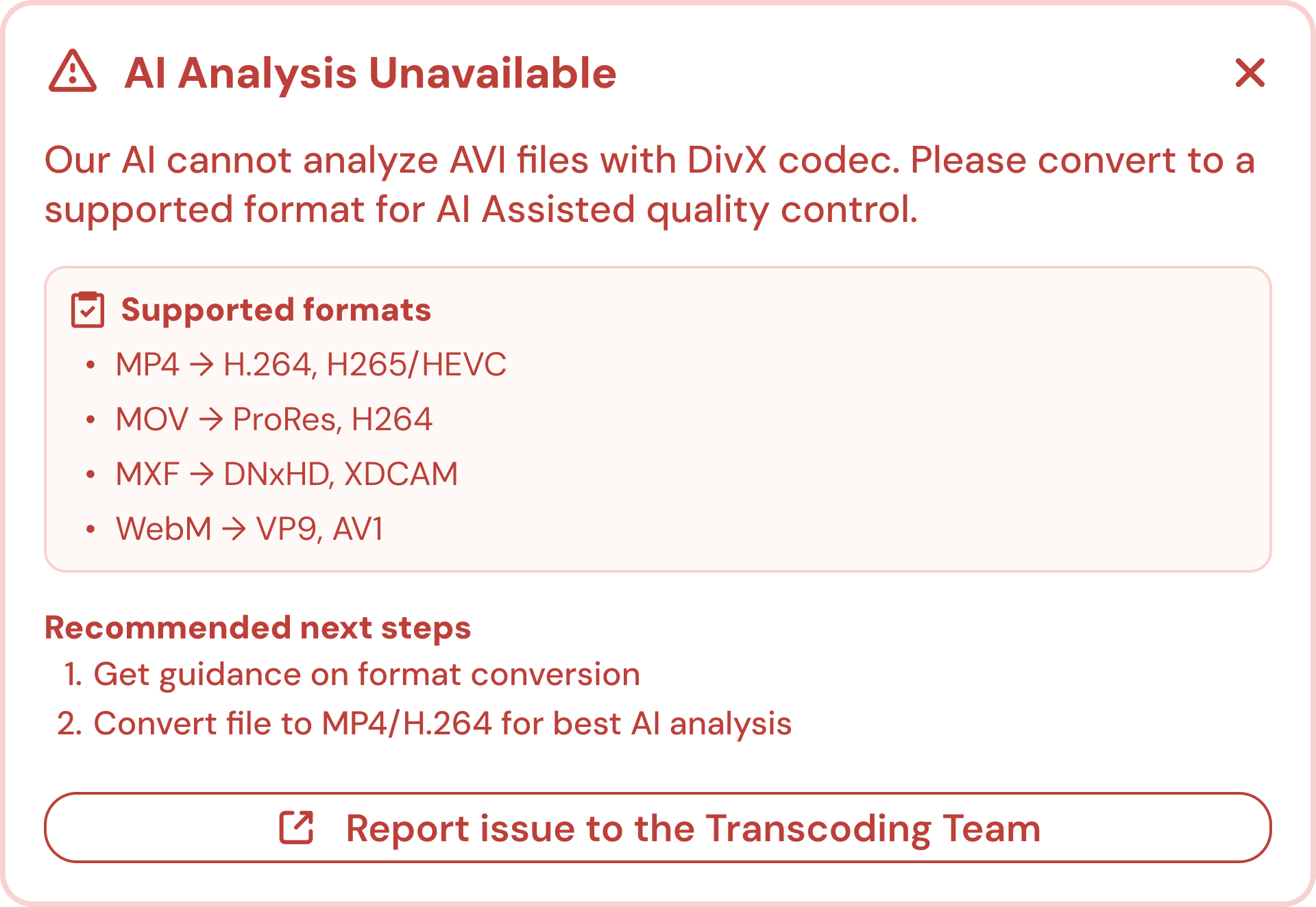
Design graceful failures
Assume that the AI will sometimes be wrong, and make sure not to leave your users hanging. Graceful failures where the user is informed about the issue and given a clear way forward make users feel like they're not abandoned whenever something goes wrong.
🛑 Don’t leave the user hanging
It’s not very helpful when the AI outputs an error without explaining what the user should do to get around the issue.

🟢 Do provide a clear path forward
Users should be guided by the AI providing a detailed explanation of why the error occurred and clear recommended next steps.
Build feedback loops for continuous improvement
Let users provide lightweight feedback on the AI output to refine and improve the AI. Be clear that the feedback they provide will improve the AI in the long run. This makes users feel involved in improving the product.
🛑 Don’t overwhelm the user with overly technical feedback options
Users can be intimidated and overwhelmed by technical feedback options.
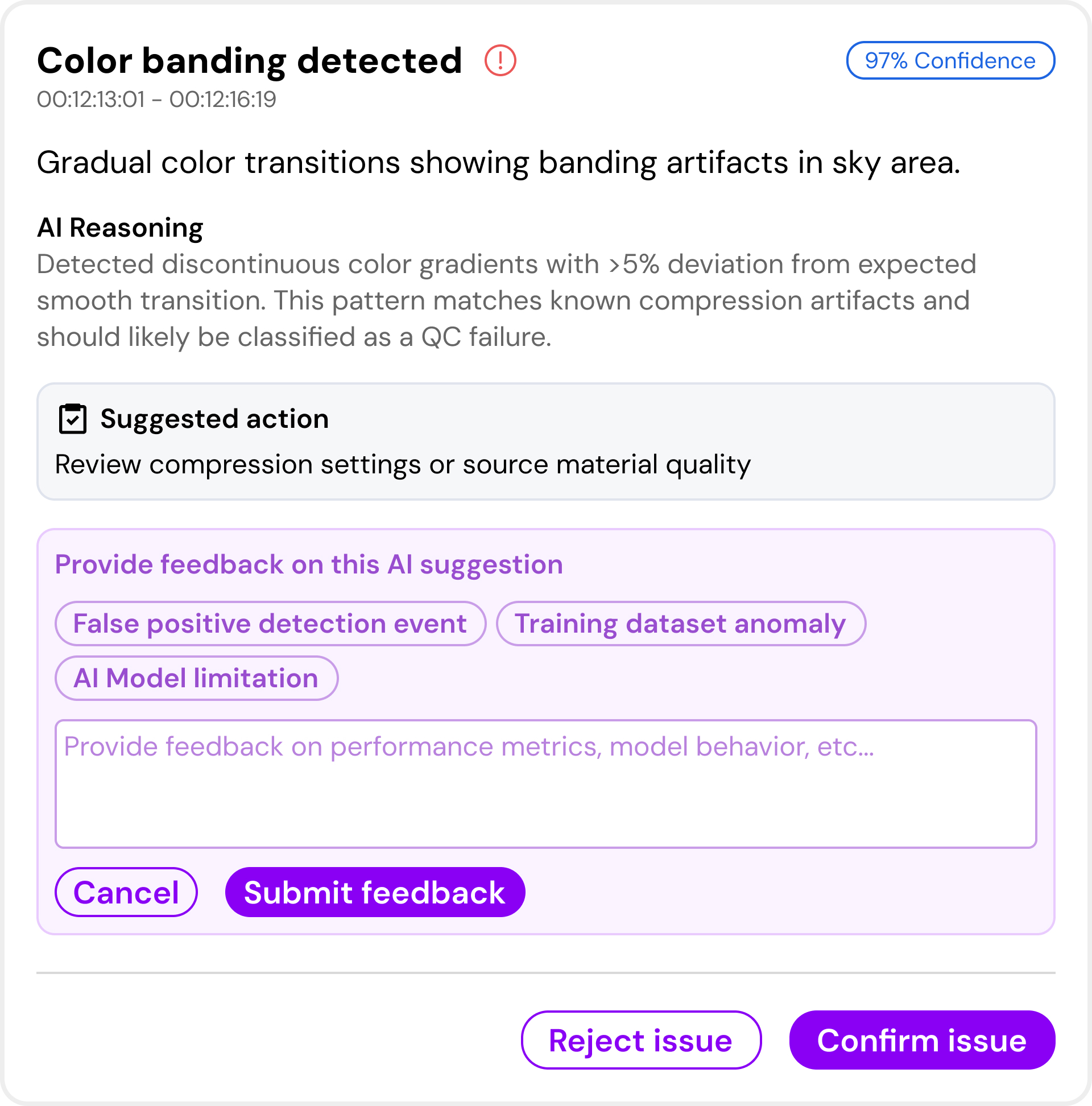
🟢 Do provide simple feedback options with progressive details
Provide simple feedback options but let the user gradually provide more details if they want to.
.gif)
From Design Principles to Business Impact
Designing AI thoughtfully isn’t just about creating a smooth user experience, it also has a direct impact on your bottom line. When users clearly understand what the AI can and can’t do, they adopt it faster, make fewer mistakes, and rely on it with confidence. This means less time spent on training and support, fewer costly fixes down the line, and stronger trust in your product. The design principles we covered earlier aren’t just best practices, they’re strategic investments that can help you:
● Save time
● Reduce risk
● Increase the overall value of your AI-powered product
That’s why having the right guidance and experience matters. With the right approach, you can unlock the full potential of AI in your products without costly missteps. At Codemill, our UX Design team helps media companies design AI features that are not only user-friendly but also deliver real business impact. With years of experience designing media-based applications and services, we also understand the context in which the AI will operate; the workflows, terminology, and real-world use cases that matter most to media professionals.
Written by Joel Hedlund
Previous articles:
How To Set Up Your MSC AI Project for Success – A UX:ers Guide
Should we automate or augment with AI?